
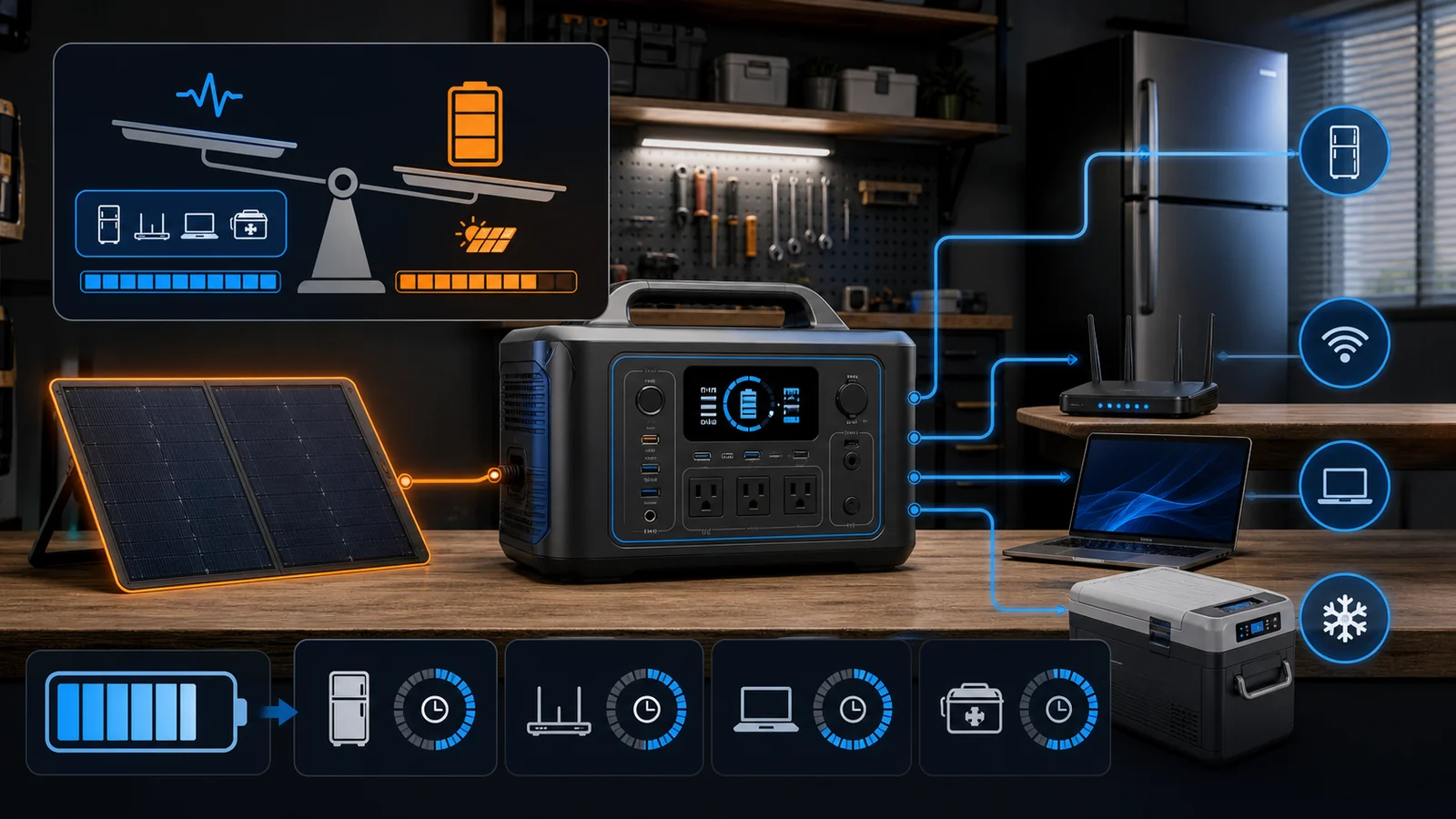
Watts determine whether an appliance can start and run; watt-hours estimate how long it can run. Build a load list from labels or measured consumption, include startup surge, then size capacity with conversion loss and reserve.
List essential loads
Record each device’s running watts, startup surge and desired hours. Refrigerators and pumps cycle; heaters and kettles consume heavily; medical equipment requires manufacturer and professional guidance.
Do not plan whole-home comfort from a portable unit without calculation. Prioritise communication, lighting, refrigeration and medically appropriate loads, then add nonessential devices only if capacity remains.
Separate output from capacity
The inverter’s continuous AC rating must cover simultaneous running load and its surge behaviour must handle startup. Battery watt-hours are energy storage, not output power.
Estimate runtime by multiplying load watts by hours, then divide by a conservative usable fraction for inverter loss, temperature and reserve. Manufacturer examples are scenarios, not guarantees.
Check ports and transfer behaviour
Count AC outlets, USB standards and regulated DC outputs, but confirm total shared limits. A high-power USB-C port can reduce adapters while an RV or split-phase installation requires exact compatible hardware.
UPS or pass-through labels have transfer-time and supported-load conditions. Equipment that cannot tolerate interruption needs verification; do not assume every power station is a medical-grade UPS.
Match charging to the outage
Compare AC recharge time with the wall circuit available. Car charging is limited, and solar production varies with weather, angle, shade and season.
For third-party panels, open-circuit voltage and current must remain inside the exact power station input range, including cold-weather voltage rise. Connector fit alone does not prove electrical compatibility.
Plan battery life and storage
BLUETTI uses LiFePO4 in many current models and publishes cycle-life figures for specific units. A cycle rating describes retained capacity under test conditions, not immunity from heat, deep storage discharge or ageing.
Store and recharge according to the manual, keep ventilation clear and update firmware carefully. Never expose a non-rated unit to rain or place it where exits are blocked.
Verify ecosystem and warranty
Expansion batteries, panels and cables are model-specific. Confirm firmware, voltage and required cable before combining components. Calculate the weight and safe lifting method for every module.
Warranty varies by product and region. Buy from an authorised channel, keep serial numbers and proof, and read shipping rules for lithium-battery service. Return freight can be substantial.
Make a purchase worksheet
Put the exact model or plan in the first column, the official specification in the second and your real requirement in the third. Mark every assumption that still needs confirmation from support. This prevents a feature from a related product, another country or an older version being applied to the item in the basket.
Add the delivered price, required accessories, likely replacement parts or consumables, subscription or renewal cost and an appropriate return-cost allowance. Recheck the worksheet immediately before payment because inventory, bundles, policy language and compatibility can change after research.
Comparison checklist
| Decision | Check | Risk if ignored |
|---|---|---|
| Load | Running and startup watts | Overload shutdown |
| Energy | Watt-hours, loss and reserve | Short runtime |
| Input | AC time and solar voltage range | Slow or unsafe charging |
| System | Compatible batteries and cables | Unusable accessory |
| Safety | Ventilation, storage and rated environment | Damage or hazard |
Who should buy—and who should not?
BLUETTI may suit households, campers or mobile workers with a measured load plan and safe charging location. A licensed permanent backup system, fuel generator used outdoors, or utility solution may be better for long outages, central HVAC, well pumps or whole-home loads.
Before checkout
- Confirm the exact model, size, platform, capacity or configuration.
- Calculate the full delivered and ownership cost, including accessories, replacements and renewal.
- Read the current return, cancellation, warranty and regional terms for the exact purchase.
- Save the specification, policy and order confirmation that control the transaction.
Compare current store offers and browse related shopping categories before visiting the retailer.
How this guide was researched
CouponzWorld reviewed official product, policy and support material, separated merchant facts from editorial advice, and checked the cited sources on 14 August 2026. We did not treat temporary prices as permanent or claim hands-on testing.