
A robot vacuum should be selected for the geometry and daily mess of the home. Dreame models differ in navigation, obstacle handling, carpet treatment, mopping and dock automation. Start with a room audit, then compare only features that solve a documented problem.
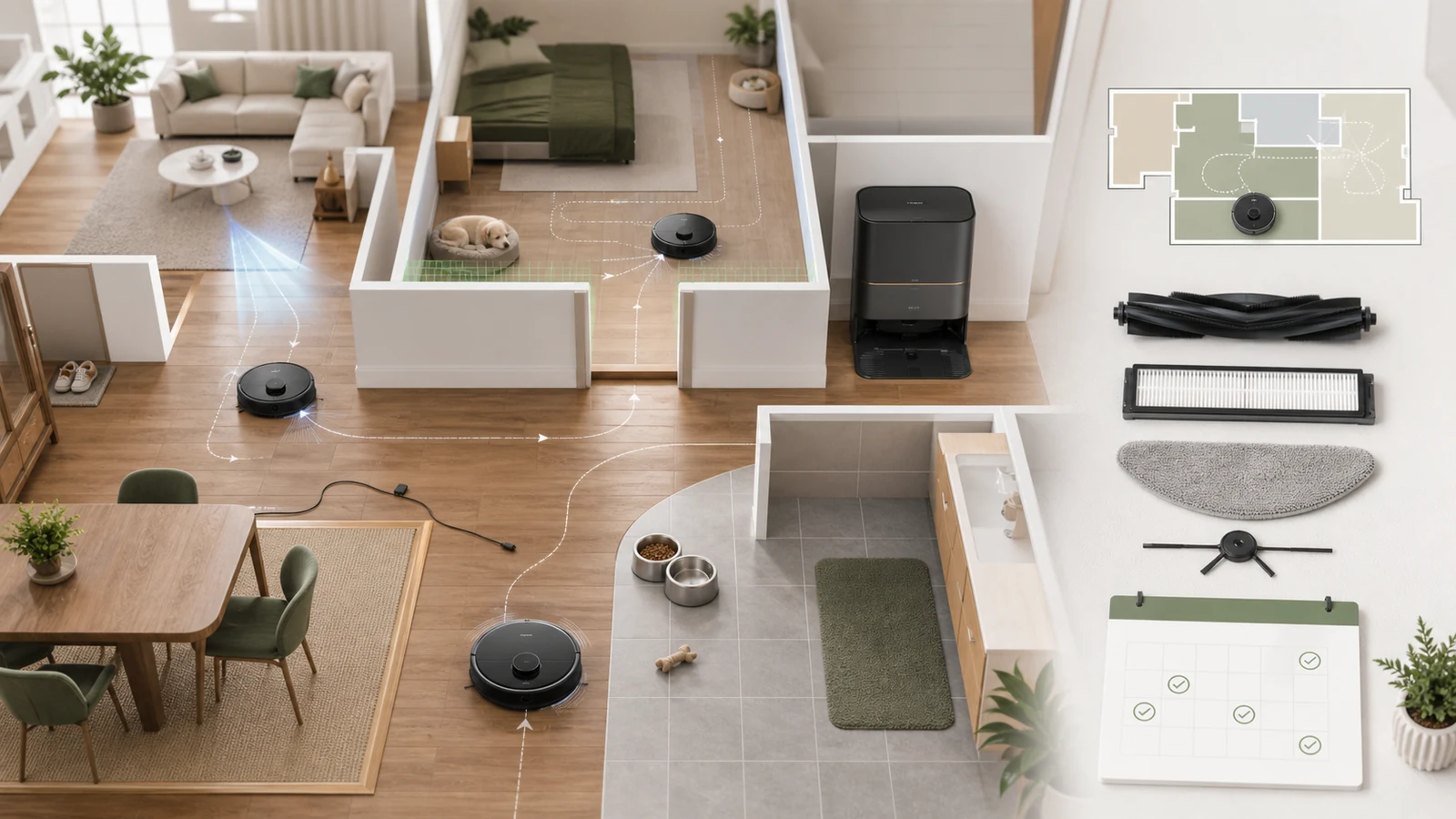
Map the home before comparing models
Record floor area, levels, door widths, thresholds, rugs, dark surfaces, low furniture and the location of stairs. Note rooms where the robot should not enter and whether doors are normally open. Multi-storey homes may need map support and manual carrying even when navigation is advanced.
Measure the lowest furniture and highest threshold rather than relying on visual estimates. A small difference can determine whether the robot cleans under a sofa or becomes trapped.
Match cleaning system to surfaces
| Home condition | Feature to inspect | Trade-off |
|---|---|---|
| Hard floors | Brush pickup and mop control | Wet maintenance and pad washing |
| Carpet and rugs | Carpet detection, lifting or avoidance | Edges and thick pile can remain difficult |
| Pets | Hair handling and obstacle recognition | Brushes still require inspection |
| Busy family areas | Mapping, zones and scheduling | Clutter must be managed |
| Large floor plan | Battery, recharge-and-resume and dock | Longer cycles and more consumables |
Evaluate obstacle handling realistically
Cameras, structured light and sensors can reduce collisions, but no system guarantees recognition of every cord, sock, toy, pet accident or reflective object. Create a short pre-run routine: lift cables, secure curtains, remove small items and check pet areas.
Use virtual boundaries around delicate furniture, fireplaces, water bowls and spaces that repeatedly trap the machine. Watch the first complete run and adjust the map before unattended schedules.
Decide how much dock automation is useful
A basic charging dock occupies less space and requires manual bin and mop work. Advanced docks may empty dust, wash or dry pads and manage clean and dirty water. Measure height, width, depth, lid clearance, nearby power and floor protection.
Automation moves maintenance rather than eliminating it. Tanks, trays, seals and bags still need cleaning or replacement. Consider whether every household member can safely remove and refill them.
Plan consumables and maintenance
Budget for filters, side and main brushes, mop pads, dust bags and approved cleaning solution where applicable. Inspect hair wrap, wheels, sensors and charging contacts on a schedule. Wash or replace parts according to the model manual and allow washable filters or pads to dry fully before reuse.
Record the installed date for consumables instead of replacing them only because an app estimate appears. Heavy pet hair, fine dust and large homes can require earlier attention.
Review privacy, app and network needs
Check the permissions and connectivity required for maps, remote viewing, voice assistants and updates. Use a secure home network, strong account password and current firmware. Disable optional features that are not useful to the household, and understand how maps or camera functions are managed.
Confirm warranty by seller and region
Dreame's US after-sales policy states coverage by product part and channel, with robot main parts listed for three years, battery for one year and consumables for one month under the published policy. Confirm the exact model, seller, country and purchase date because imported or third-party products may follow different support routes.
Keep the order record and serial number. Contact support for diagnosis before shipping or dismantling the unit, and document error messages and maintenance already attempted.
Calculate total ownership cost
Compare the robot, dock supplies, filters, brushes, mop pads, solution, electricity and your maintenance time. A premium dock can be worthwhile for frequent mopping or allergy-sensitive cleaning, but unnecessary complexity can increase upkeep in a small low-clutter home.
Dreame purchase checklist
- Measure furniture clearance, thresholds and dock space.
- List carpet, pet and mopping requirements.
- Price consumables for a realistic ownership period.
- Check seller, region and written warranty coverage.
- Observe the first run and refine maps and boundaries.
Compare current Dreame US offers, browse vacuum and floor-care deals, and review current coupons and deals.
How this guide was researched
CouponzWorld reviewed Dreame official after-sales, registration, warranty and support material on 15 August 2026. Model capabilities, regional support and policies can change, so confirm them for the selected product.
Official sources
Make the final robot-vacuum decision
Choose the model that handles the measured home with acceptable upkeep. Recheck dock dimensions, regional warranty and included accessories immediately before purchase, then preserve the product page and order record for future support.
Keep a decision record
Before checkout, save the exact product or plan name, selected variant, final price, controlling terms and the date checked. Mark each important requirement as confirmed, uncertain or not applicable. Resolve any uncertainty that could change eligibility, safety, compatibility, cancellation rights or total cost through current official documentation or written support. Keep the confirmation and receipt after purchase so a later return, warranty request, billing question or service claim can be compared with the information available when the decision was made.