
A charger should be selected around the devices connected at the same time, not only the largest wattage printed on its case. UGREEN offers compact wall chargers, desktop charging stations, travel models and products with retractable cables. The correct choice depends on your laptop, phone, tablet, cable and how power is divided between ports.
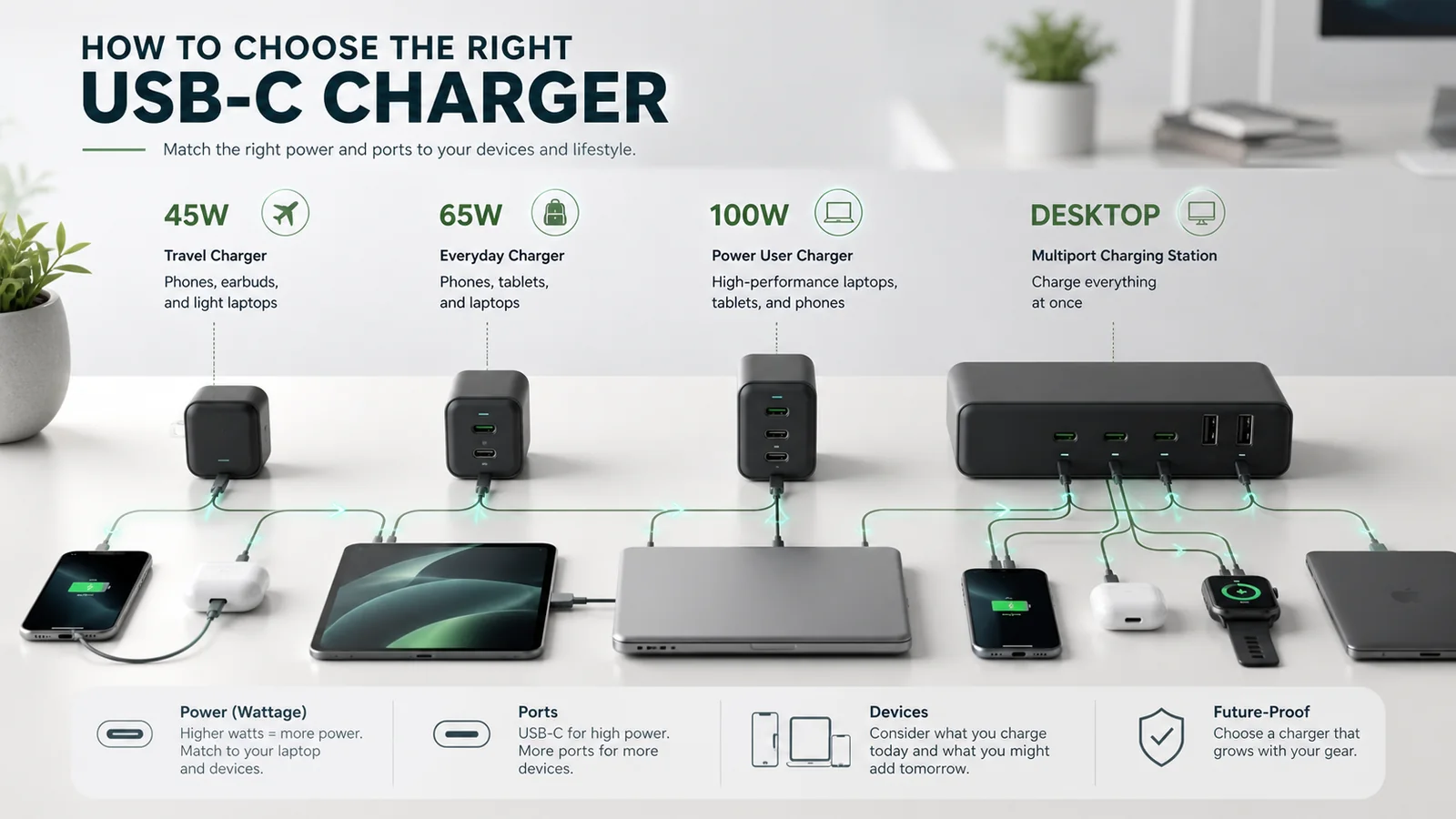
List every device first
Write down the maximum supported charging input for the devices you plan to connect. A phone and earbuds need far less total power than a laptop, tablet and phone charged together. Buying excessive wattage is not automatically harmful when standards are correctly supported, but it may cost more without improving charging speed. Buying too little can cause slow laptop charging or reduced output when several ports are occupied.
Understanding 45W, 65W and 100W
A 45W charger can be a practical compact option for phones, tablets and some lightweight laptops. A 65W USB-C charger is a common middle ground for one compatible laptop plus smaller devices, although simultaneous charging changes how output is allocated. A 100W model provides more headroom for higher-power notebooks or several devices. Desktop chargers above 100W are most useful when replacing multiple adapters at a workstation. Always compare the maximum output of an individual port as well as total output.
Port sharing changes the result
A three-port 65W charger does not normally provide 65W through every port simultaneously. Manufacturers publish allocation tables showing how power is shared in different port combinations. Decide which device must receive priority and inspect the exact configuration. If your laptop needs close to the charger's full output, attaching a phone may reduce laptop power. A higher-capacity charger or a different port arrangement may solve that problem.
Protocols and cables matter
USB-C Power Delivery is important for many laptops, tablets and phones. Some devices also rely on PPS or manufacturer-specific fast-charging modes. UGREEN's official product information lists supported protocols, but compatibility varies by exact SKU and market. The cable must also support the required wattage; a high-power charger cannot deliver its full output through an unsuitable cable. For higher USB-C power levels, check whether an electronically marked cable is required.
Wall, desktop, travel or retractable?
- Wall charger: best for a compact everyday bag or bedside setup.
- Desktop charger: useful when multiple devices remain connected at a desk.
- Travel charger: check plug types, input-voltage range and whether adapters are included.
- Retractable cable model: reduces cable clutter, but the built-in cable length and replacement implications should be considered.
GaN does not replace compatibility checks
Gallium nitride technology can support smaller, efficient high-power chargers, but the GaN label alone does not tell you the number of ports, charging protocols or power allocation. Compare the complete specification. Also leave ventilation around a high-power charger and follow the manufacturer's safety instructions.
A simple selection method
- Identify the highest-power device.
- Add the devices that will charge simultaneously.
- Check per-port and shared-output tables.
- Confirm the required charging protocols.
- Select a properly rated USB-C cable.
- Check plug format, voltage range, dimensions and weight.
Before ordering, compare the exact SKU and regional plug. Review current UGREEN coupon codes and deals, explore electronics offers, and confirm the final price, stock and warranty on the official store.
Common mistakes
- Assuming total wattage is available from every port.
- Ignoring cable power limits.
- Buying from the wrong regional store or with the wrong plug.
- Expecting every phone to support the same fast-charging protocol.
- Choosing by discount before checking device compatibility.
Charger capacity decision table
| Capacity class | Typical starting use | What to verify | Common mistake |
|---|---|---|---|
| 45W | Phones, tablets and selected light laptops | Device input and single-port output | Assuming every laptop accepts 45W comfortably |
| 65W | One compatible laptop plus occasional mobile charging | Two-device power allocation | Reading total wattage as per-port wattage |
| 100W | Higher-power laptop or a multi-device bag | Cable rating and port priority | Using a cable that cannot carry the required power |
| Desktop multiport | Permanent workstation with several devices | Total output across the exact occupied ports | Buying capacity without checking the allocation table |
Who should buy a UGREEN charger—and who should not?
A UGREEN multiport charger makes sense when one verified unit can replace several compatible adapters. Keep the original manufacturer adapter when a laptop uses a proprietary connector, requires power above the charger's supported profile, or behaves unpredictably with shared USB-C power. A traveller should also reject any model whose plug or input-voltage specification does not match the destination.
How this guide was researched
We reviewed UGREEN's charger range and Nexode material, then built the advice around per-port output, shared-power behaviour, protocols and cable requirements. Exact allocation varies by SKU, so this guide deliberately avoids assigning one power split to every model. Sources were checked on 14 August 2026; we did not electrically bench-test the chargers.
Official sources
Research basis: official UGREEN Nexode range, charger specifications and published power/compatibility information reviewed in August 2026.